VivatBet App for Android & iOS

The VivatBet app is designed for players who want to place bets quickly and securely directly from their mobile device. Thanks to the optimized mobile app platform, users can enjoy a fully functional environment for both sports betting and casino games. The Vivat app runs smoothly and delivers the same high-quality experience as the desktop version
The VivatBet app download process is fast and secure. The latest APK Android download version is available for quick installation. Android users can complete the apk download and install the file in just a few simple steps. The application is also accessible via the app Play Store and is fully compatible with iOS devices, ensuring a seamless mobile experience for all players. The download is free, and the installation takes only a few minutes.
Mobile casinos are becoming increasingly popular, and the VivatBet app meets the expectations of modern players. The app allows users to manage their account, activate bonuses , track betting history, and receive notifications about promotions — all in one convenient mobile platform.
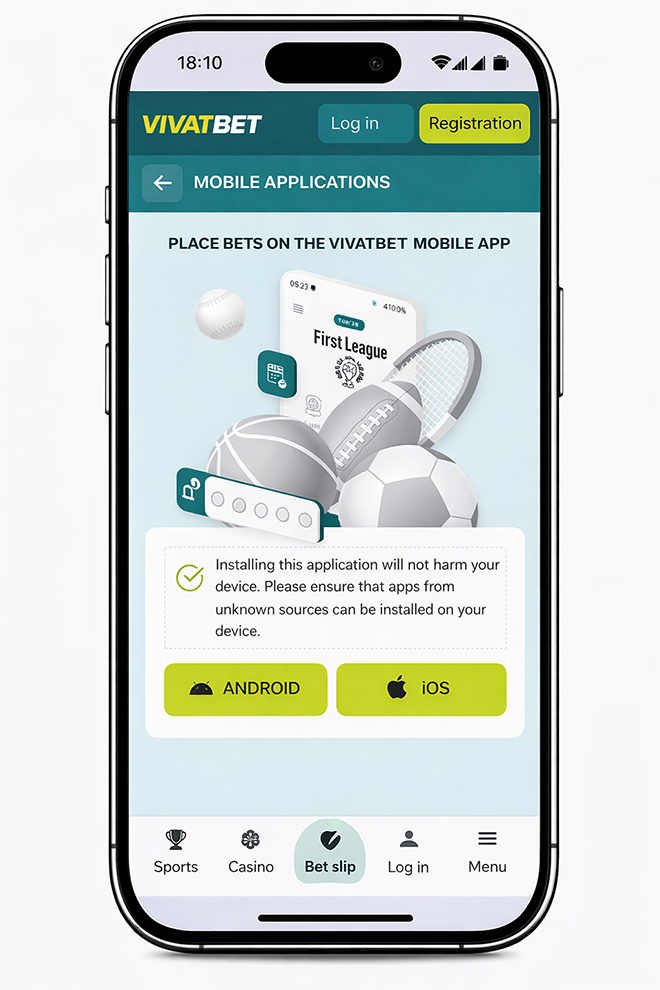
The VivatBet mobile app is developed with mobile users in mind. Simple navigation, fast loading speed, and secure login make playing convenient anytime and anywhere. New mobile casino features and regular updates are added frequently to provide a fresh and modern gaming experience.
Mobile casinos must meet high security standards, and the VivatBet mobile application uses advanced encryption technologies. All data is protected, and payments are processed through secure channels. This makes VivatBet casino one of the preferred mobile casino platforms in Estoni.Download the VivatBet mobile app today, complete the APK download, and enjoy a fast, secure, and professional betting experience directly on your mobile phone.
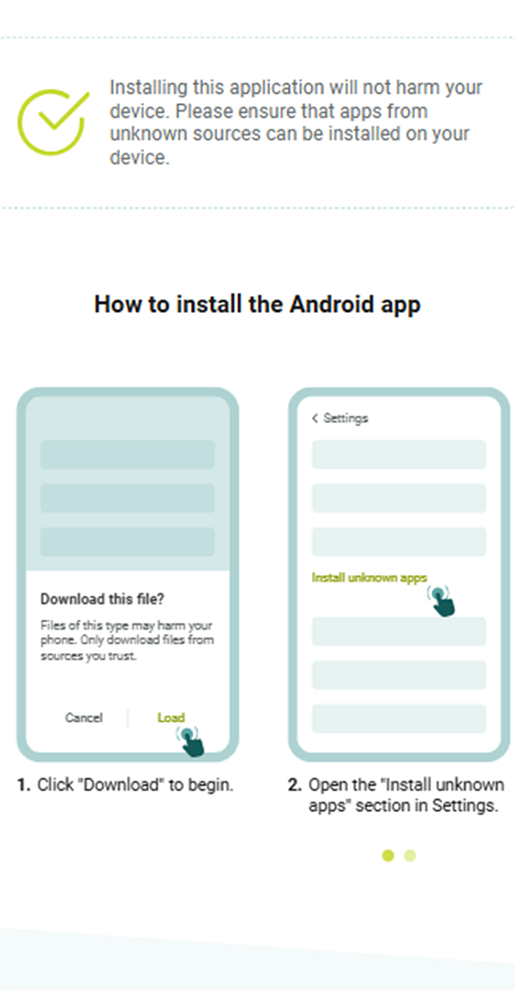
| Step | Action |
|---|---|
| 1 | Open the VivatBet mobile app download page in your mobile browser. |
| 2 | Tap “Download” on the Android icon to start downloading the VivatBet APK file. |
| 3 | Open your phone Settings > Install from unknown sources. Allow installation from unknown sources. |
| 4 | Once the APK is downloaded, open the downloaded file. |
| 5 | Tap “Install” and wait until the application is installed. |
| 6 | After installation, open the app and log in to your account or create a new user account. |
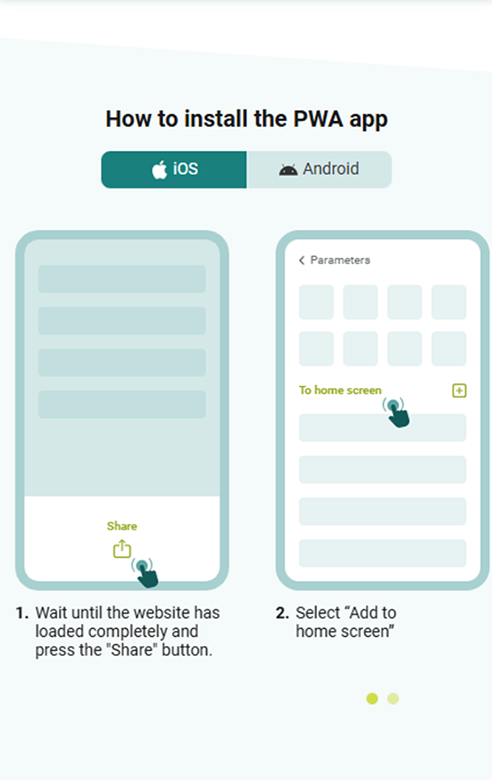
| Step | Action |
|---|---|
| 1 | Open the App Store on your iPhone or iPad. |
| 2 | Search for “VivatBet” in the search bar. |
| 3 | Select the official VivatBet app from the list of applications. |
| 4 | Tap “Download” or “Install” to start downloading the app. |
| 5 | Wait until the application is installed on your device. |
| 6 | Open the app and log in to your account or create a new account to start betting. |